




NComputing

Compute Smartly

RX420(vSpace)

RX420(vSpace)

RX-series

RX420(vSpace) thin client

Simple, powerful & affordable.

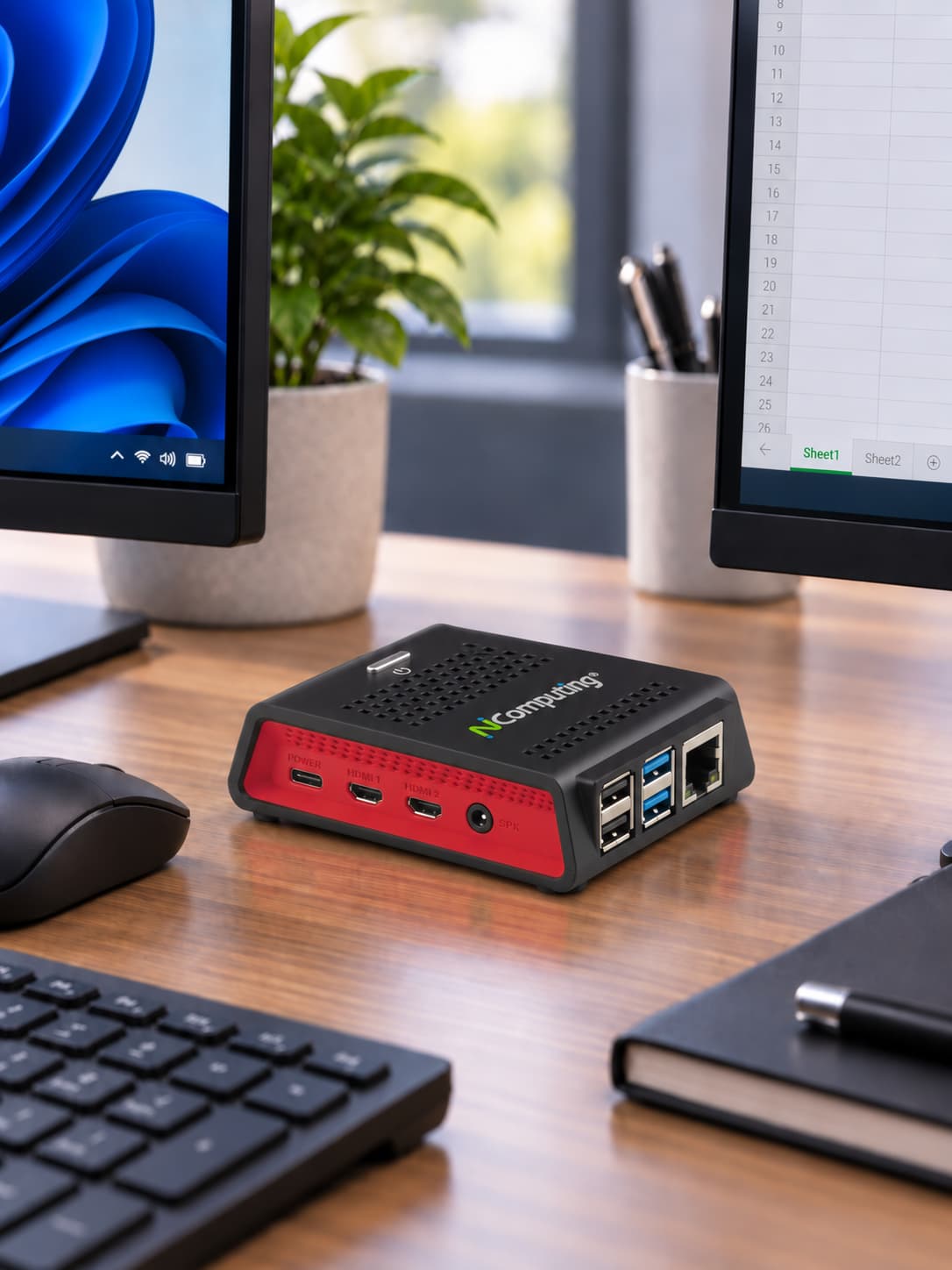
RX420(vSpace) is a 2-in-1 thin client designed as an end-to-end PC expansion alternative for vSpace Pro Enterprise. Its hardware, software, and protocol components work together to deliver a high-quality, media-rich Windows desktop experience for up to two users from a single device.

Dual Monitor
1 or 2 users Configurable dual-user mode
DRAM
2GB RAM Integrated endpoint memory
SSD
32GB Internal Micro SD card
Gigabit Ethernet
Gigabit Ethernet Wired networking
WiFi
Dual-band Wi-Fi 5GHz / 2.4GHz 802.11 b/g/n/ac
Low Power Consumption
5W/user Typical power consumption


Dual-user mode connections

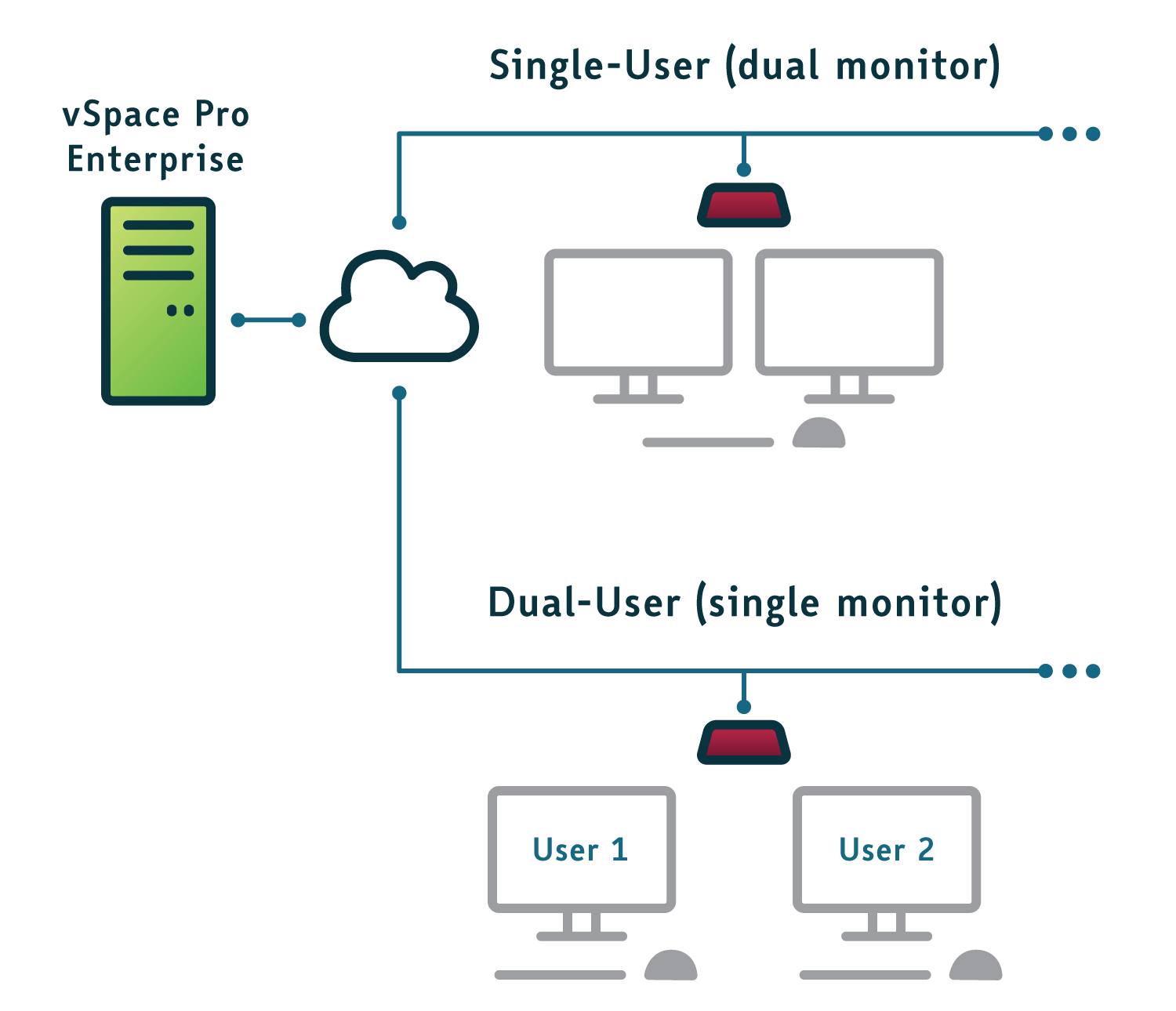
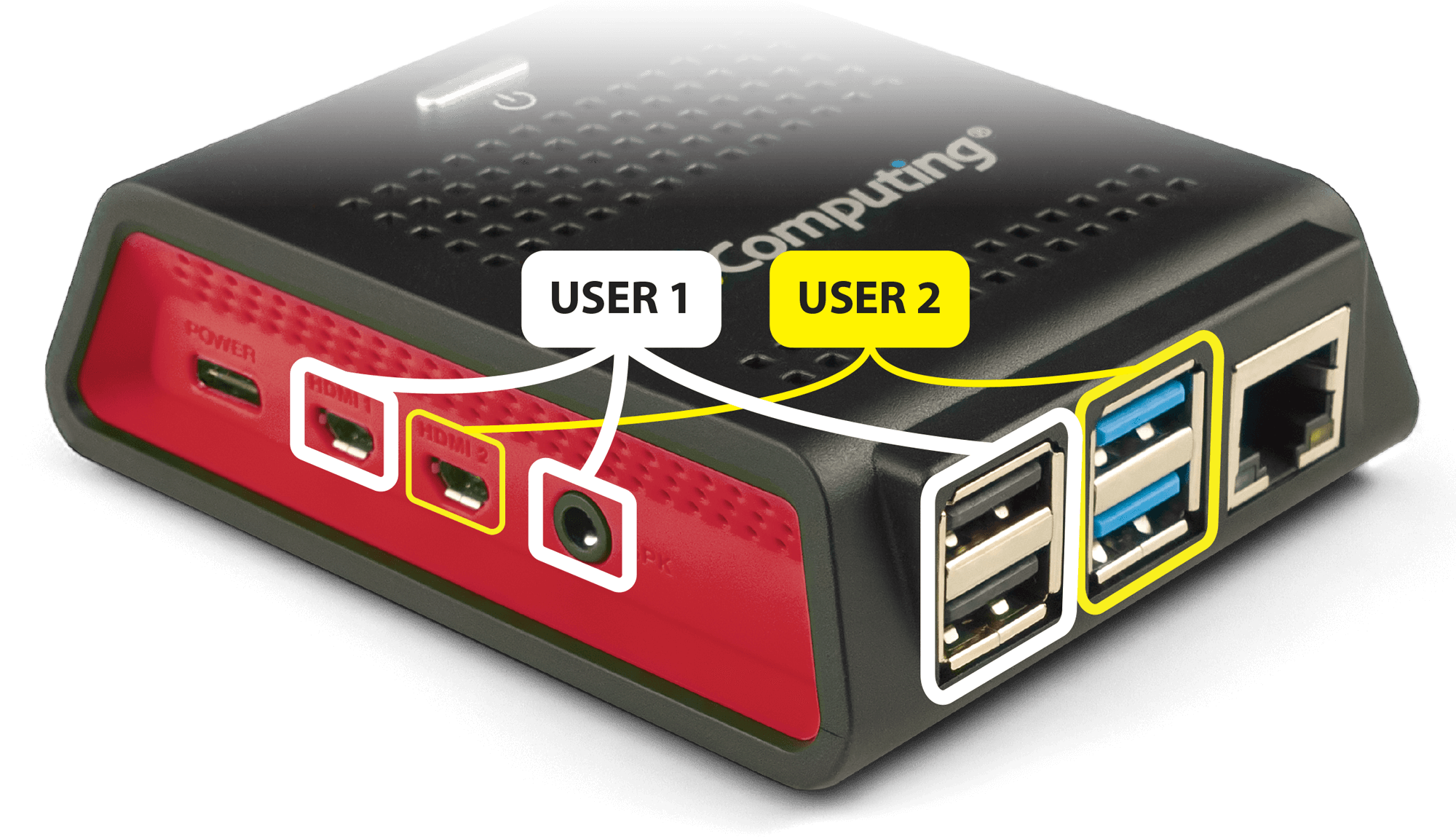
One RX420(vSpace). One User by Default. Two Independent Users in Dual-User Mode.

Built specifically for NComputing vSpace Pro Enterprise, the RX420(vSpace) operates in its standard configuration as a high-performance endpoint for one user with support for dual displays. When configured for Dual-User Mode, that same device can support two independent users from a single RX420(vSpace).

In Dual-User Mode, each user works from their own single display with a dedicated keyboard and mouse, while supported USB, audio, and assigned peripheral resources can be mapped per user based on the vSpace deployment.

This flexibility is the defining differentiator of RX420(vSpace): organizations can deploy it as a conventional single-user endpoint with dual-display productivity, or configure it to deliver two separate user sessions from one purpose-built vSpace Pro Enterprise device.


Purpose-built compatibility

  • RX420(vSpace) is only compatible with NComputing vSpace Pro Enterprise.
  • Designed as an end-to-end PC expansion alternative for vSpace Pro Enterprise.

Enterprise-ready Windows sessions

  • Supports Windows 10 and Windows 11 desktops through vSpace Pro Enterprise.
  • Supports Windows Server 2019 and 2022 environments with vSpace Pro Enterprise.

[RX420-VSPACE] - group - Everyday Productivity

Thu, 10/15/2026 - 13:36 -- Irene Kennedy

Built for everyday productivity

USB

Broad USB peripheral support

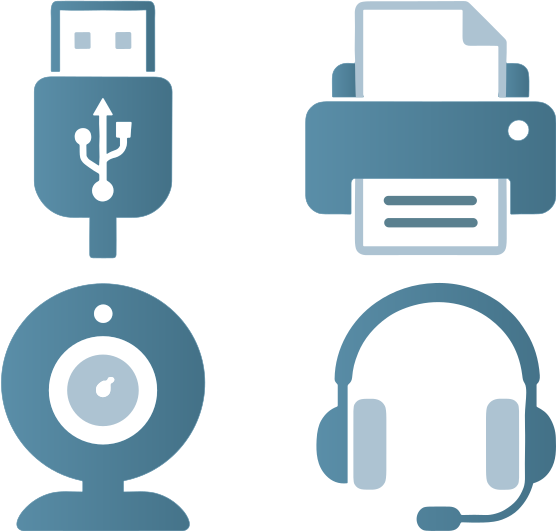
Connect the peripherals users rely on every day, including keyboards and mice, storage devices, printers, scanners, smart card readers, headsets, speakers, webcams, and other supported USB devices. Compatible peripherals can be redirected into supported virtual desktop sessions for a more natural desktop experience.
Ethernet & Wifi

Flexible Ethernet and Wi-Fi deployment

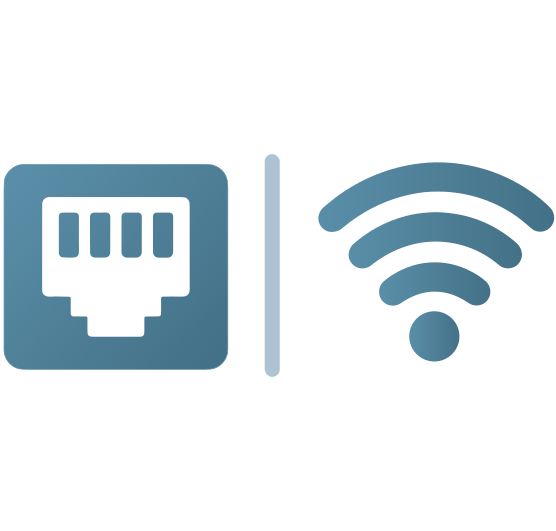
Connect over wired Ethernet where fixed infrastructure and consistent network access are preferred, or use Wi-Fi where cabling is impractical. Flexible networking makes it easier to deploy endpoints across offices, classrooms, shared spaces, and other work environments.


Dual Monitors

One or two users

For NComputing vSpace Pro Enterprise, RX420(vSpace) supports a standard single-user setup with dual displays for everyday productivity. When configured for Dual-User Mode, the same device serves a single display for two users, giving teams added flexibility without changing hardware.

Take advantage of your vSpace Pro investment

vCAST Streaming

vCAST reduces server-side CPU usage when streaming media from sources such as YouTube and from local media content, without requiring expensive GPUs. The result is smooth media streaming, lower network traffic, and reduced server CPU usage, allowing more concurrent users per server.

UXP Turbo

UXP Turbo enhances the desktop experience for 3D rendering, browser scrolling, video playback, and multimedia-intensive applications that can take advantage of host systems with supported graphics cards.

UXP Turbo is available only in vSpace Pro Enterprise when running Windows 10, Windows 11, or Windows Server 2022.

RX420(vSpace) architecture

Centralized management and express deployment

RX420(vSpace) endpoints are centrally configured and deployed through NComputing vSpace Pro Enterprise using vSpace Console, the integrated device-management component of the vSpace environment.

Administrators can create device templates with the required settings and configurations, then push those profiles to RX420(vSpace) endpoints to standardize setup and simplify rollout across deployments.

That centralized workflow helps teams bring new devices online faster, keep configuration consistent, and manage updates from the same vSpace Pro Enterprise environment already used to support users and sessions.


Connections

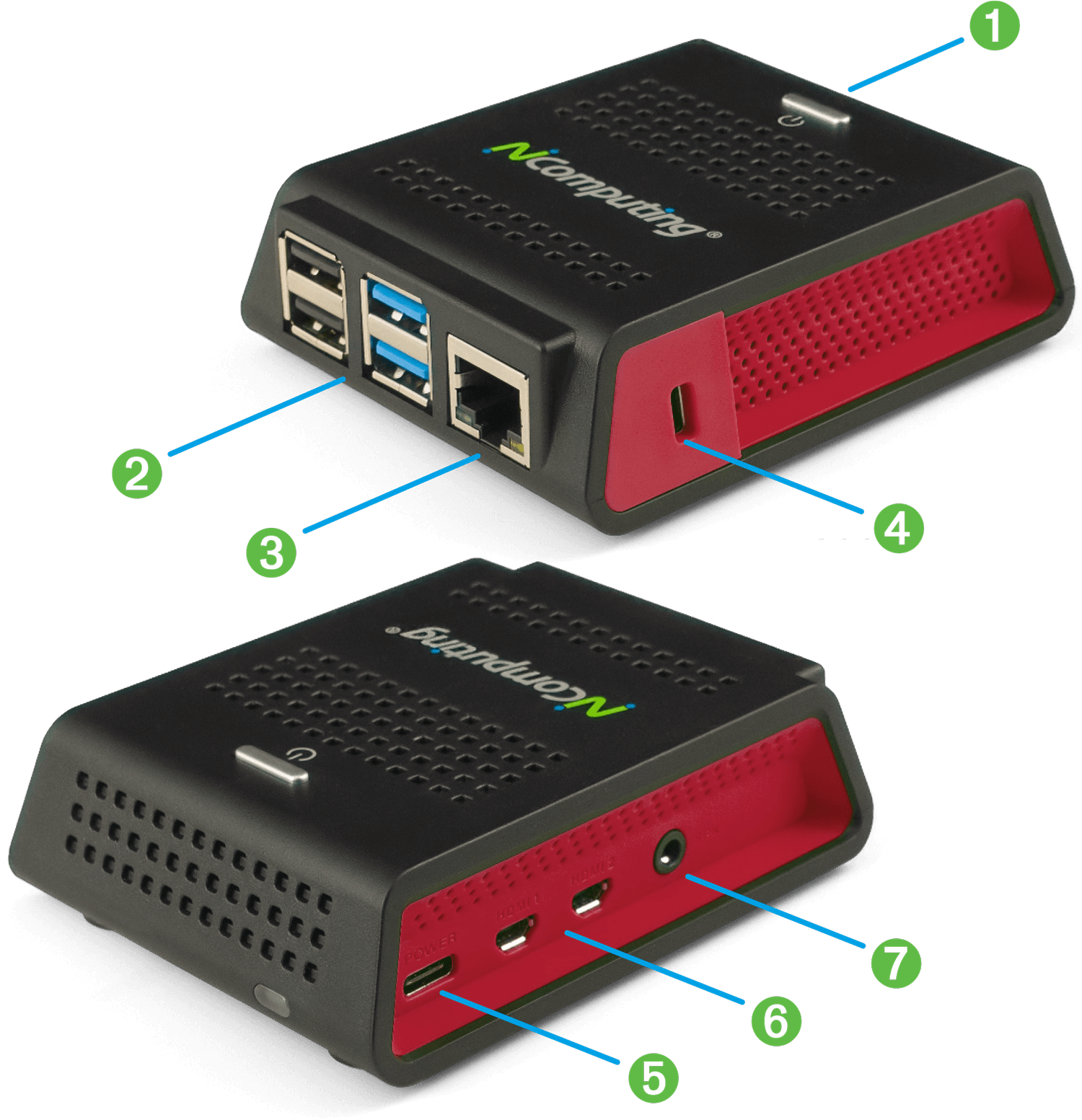
Port key

  1. Power button with sleep mode
  2. 2 USB 3.0 and 2 USB 2.0 High-Speed ports with full USB redirection support
  3. Gigabit Ethernet RJ45 port
  4. Kensington security port
  5. USB-C power input
  6. Dual micro HDMI video output
  7. Speaker jack: 16-bit / 44kHz / stereo audio
RX420(vSpace) Connections

Ready to get started? Let's go.

If you have questions about our products and services, and wish to speak with an NComputing representative, please complete this form and we will contact you shortly.

Please do not use this form for technical support. If you need technical help with NComputing products you currently own, please click here.

Prefer to connect via WhatsApp? Click to connect with Cristian Llodra