



NComputing

Compute Smartly

RX-series

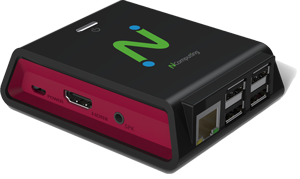
RX540

RX-series

RX540 / RX580 thin clients

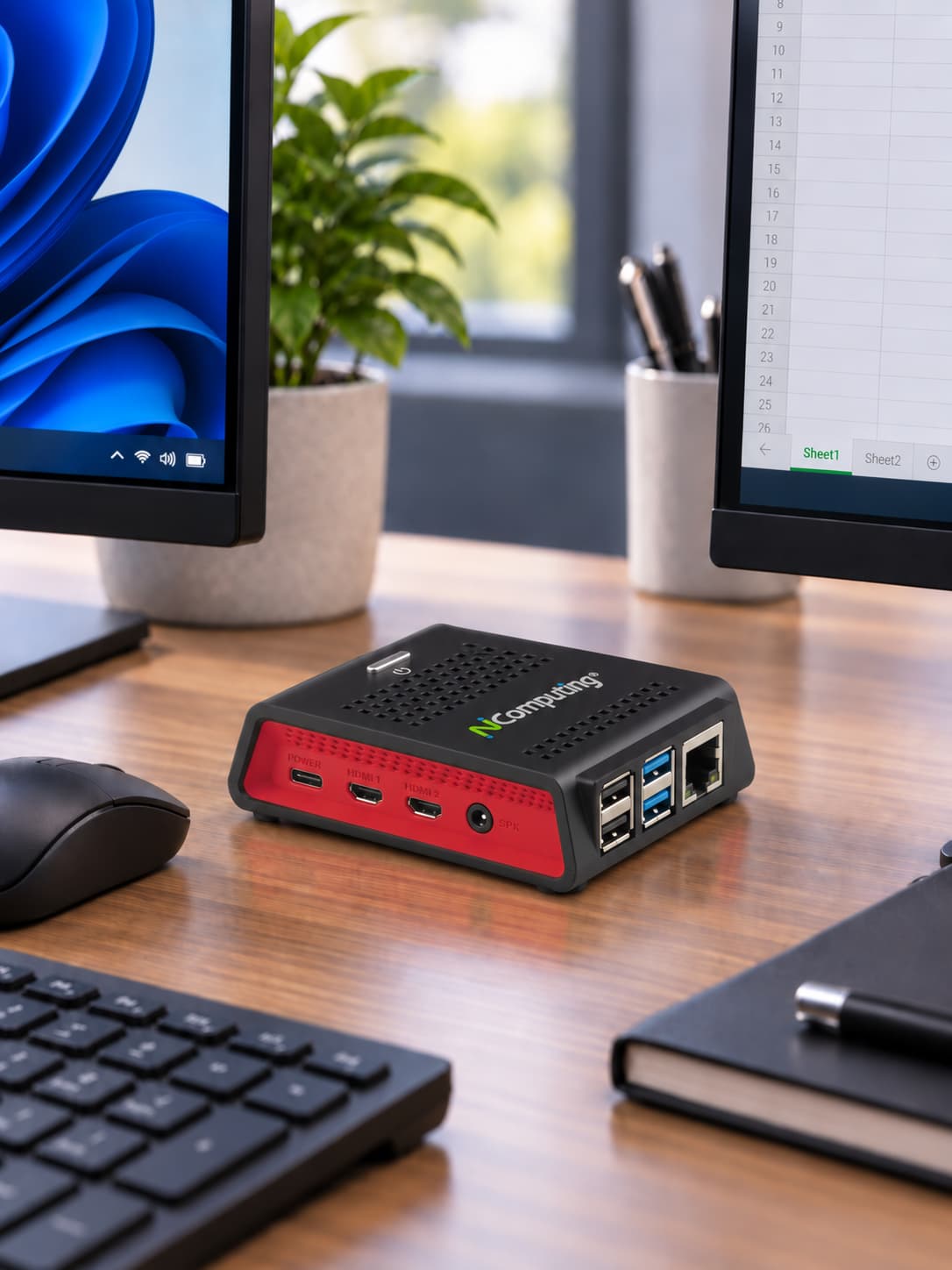
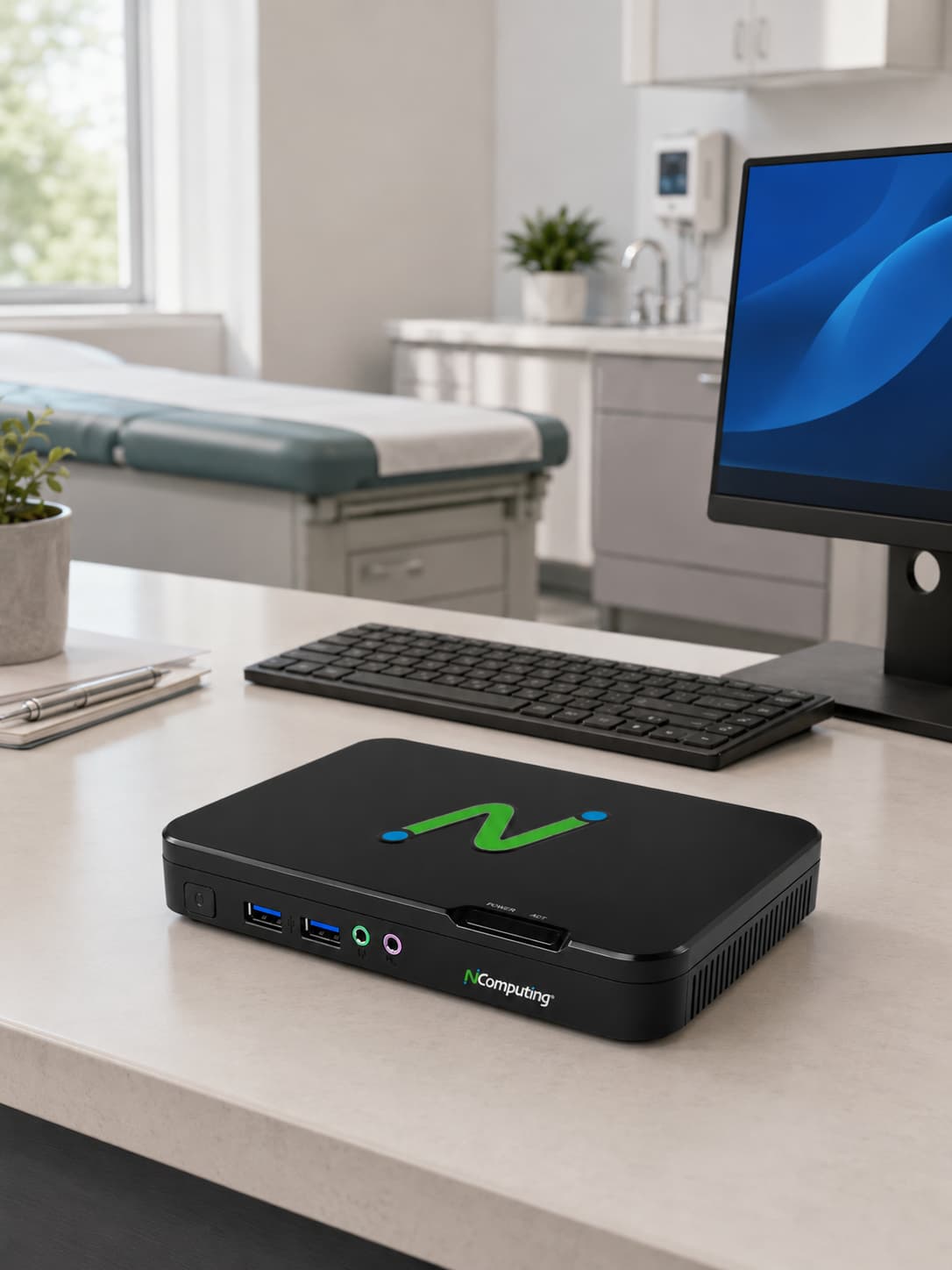
High-performance, enterprise-ready thin clients powered by the Raspberry Pi CM5.

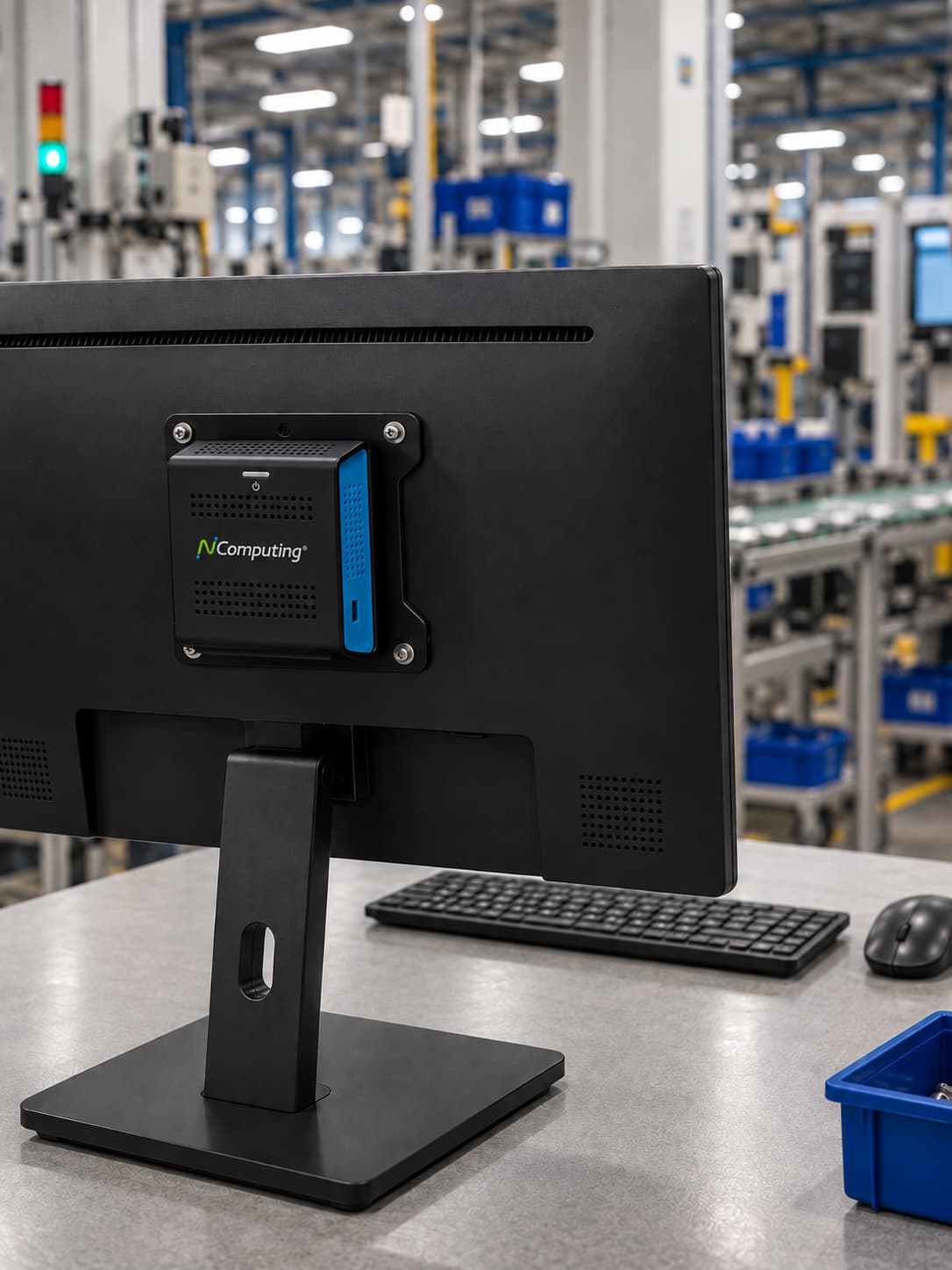
Powered by the Raspberry Pi CM5 platform, RX540 and RX580 deliver enterprise-ready performance optimized for virtualization and Desktop as a Service platforms. They combine premium performance, native dual-display support, local Chromium and Microsoft Teams PWA capabilities, and centralized management in a compact, energy-efficient endpoint.

Processor
Raspberry Pi CM5 Latest ARM architecture
Dual Monitor
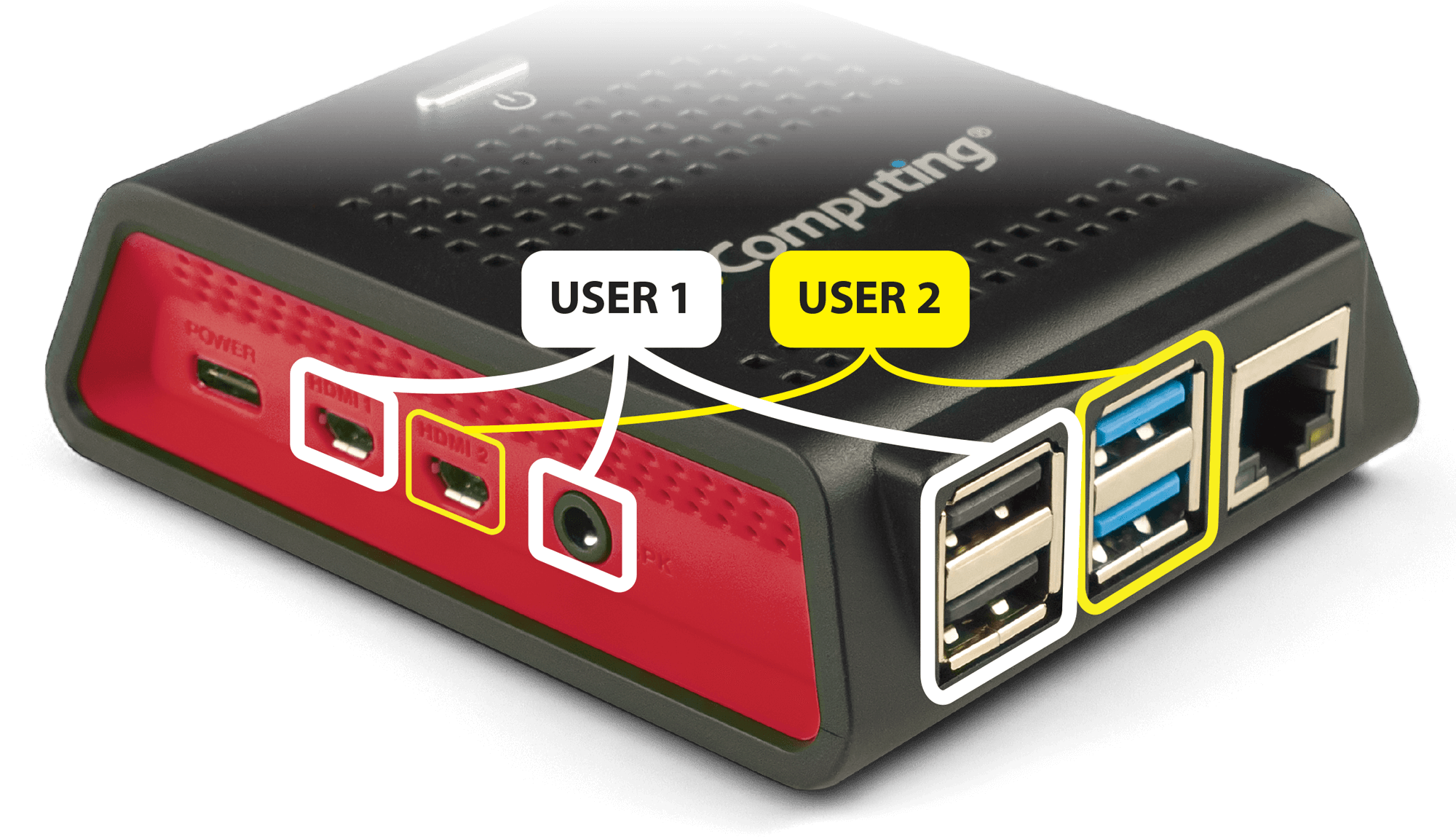
Dual 4K Two HDMI ports
Ethernet
Gigabit Ethernet 10/100/1000 wired networking
WiFi
Dual-band Wi-Fi 2.4/5GHz 802.11 b/g/n/ac
LEAF OS
LEAF OS Locked-down endpoint OS
Chromium
Local apps Chromium + Microsoft Teams PWA

Supported virtualization platforms

Citrix

  • Citrix DaaS
  • Virtual Apps and Desktops
  • StoreFront
  • Microsoft Teams optimization
  • Browser Content Redirection (BCR)

Microsoft

  • Azure Virtual Desktop (AVD)
  • Windows 365
  • Remote Desktop Services (RDS)
  • Microsoft Teams optimization
  • Microsoft AVD Endpoint Certified

Omnissa

  • Omnissa Horizon and Horizon Cloud
  • Blast Extreme and PCoIP
  • H.264 decoding
  • Multimedia Redirection (MMR)
  • Omnissa Ready certified

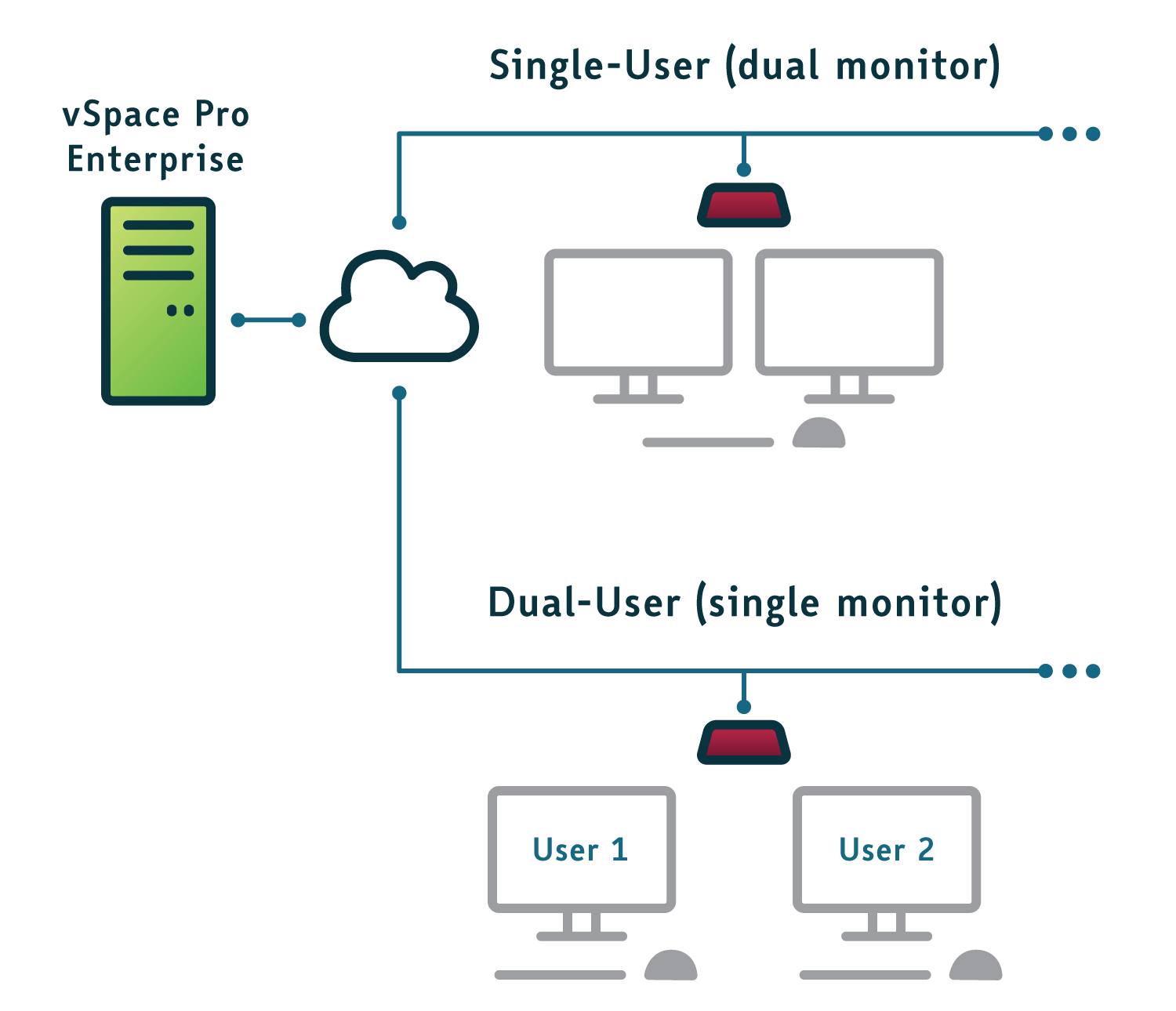
vSpace Pro Enterprise

  • Windows 11
  • Windows Server 2019, 2022, and 2025
  • UXP Turbo with H.264
  • vCAST Streaming

VERDE

  • VERDE VDI
  • VERDE Secure Browser
  • VERDE Remote Access


Next-level endpoint security

By implementing NComputing’s solutions, organizations can enhance endpoint security, safeguard sensitive data, reduce costs, and streamline management. These measures cover the entire endpoint security spectrum, from device boot to locked-down operating systems, secure communications, data leakage prevention, and centralized management. Furthermore, NComputing enables organizations to embrace BYOD initiatives while maintaining a secure computing environment.

Read the NComputing security whitepaper to learn how our endpoint solution enhances next-level endpoint security.

[RX540] - group - Everyday Productivity

Fri, 09/04/2026 - 18:59 -- Phil Mason

Built for everyday productivity

USB

Broad USB peripheral support

Connect the peripherals users rely on every day, including keyboards and mice, storage devices, printers, scanners, smart card readers, headsets, speakers, webcams, and other supported USB devices. Compatible peripherals can be redirected into supported virtual desktop sessions for a more natural desktop experience.
Ethernet & Wifi

Flexible Ethernet and Wi-Fi deployment

Connect over wired Ethernet where fixed infrastructure and consistent network access are preferred, or use Wi-Fi where cabling is impractical. Flexible networking makes it easier to deploy endpoints across offices, classrooms, shared spaces, and other work environments.
Chromium

Local application support

LEAF OS can run select applications locally on the endpoint, providing direct access to tools such as the Chromium browser and supported progressive web applications without routing every interaction through the virtual desktop. IT administrators retain centralized control over which local applications are available.
Microsoft Teams

Microsoft Teams optimization

On supported virtualization platforms, Microsoft Teams optimization processes audio and video locally on the endpoint instead of sending the full media workload through the virtual session. The result is smoother calls, clearer audio and video, and a more responsive collaboration experience.


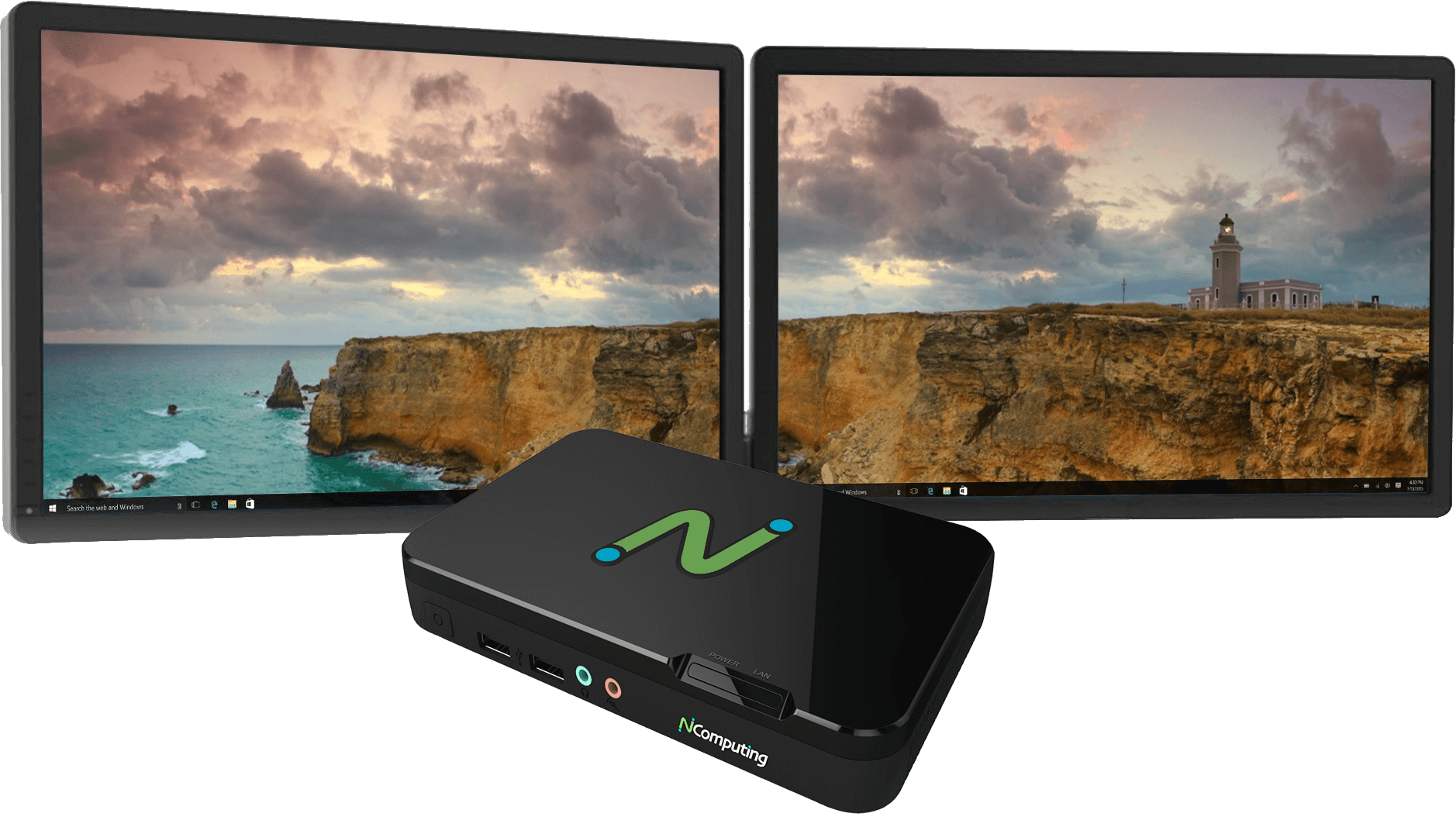
RX520 Dual Monitor

4K dual display

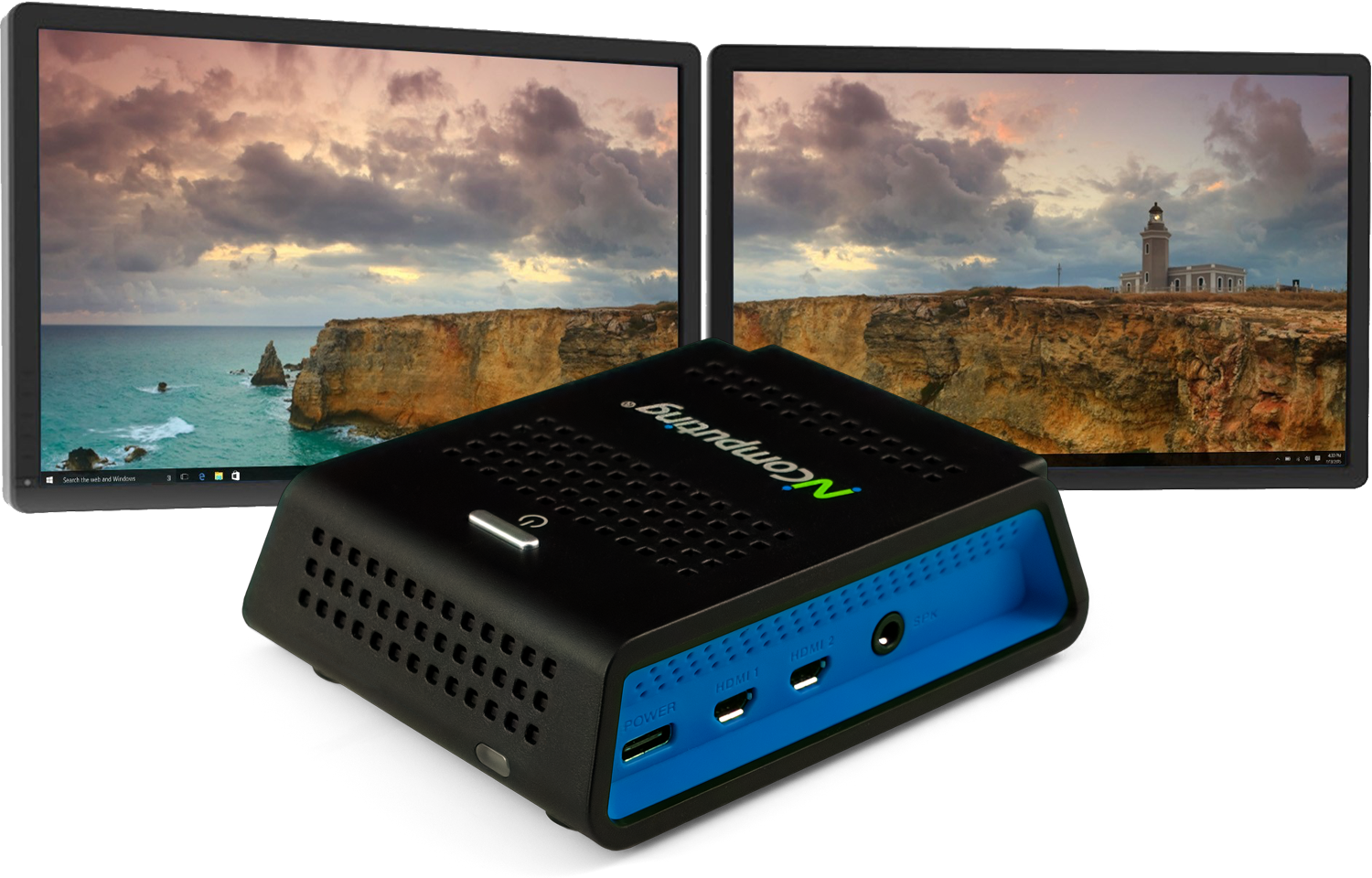
RX540 and RX580 deliver exceptional multimedia capabilities for knowledge workers, supporting resolutions up to 4K with native dual-display through two HDMI ports.

PMC Endpoint Manager

Central management software keeps things optimized

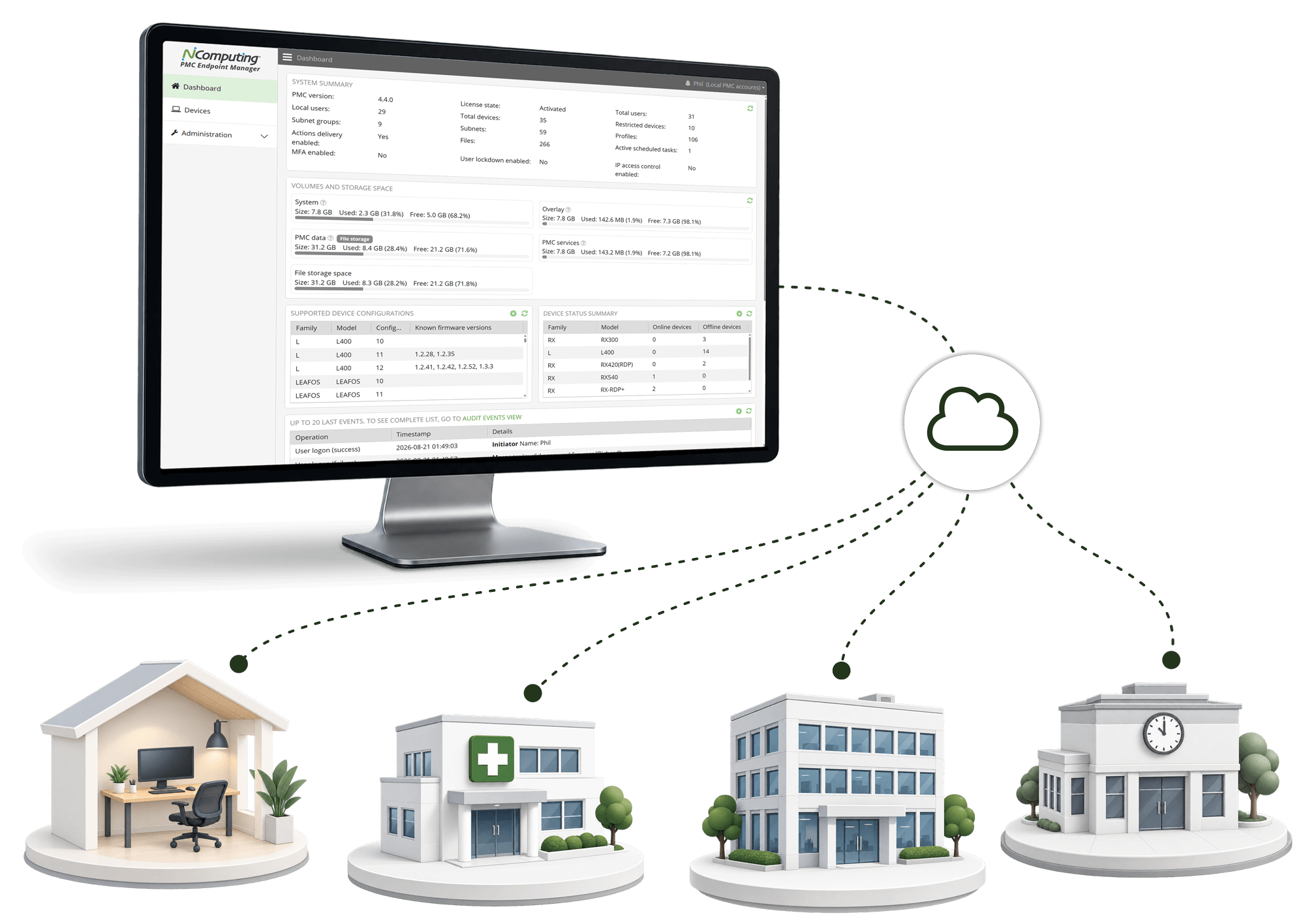
PMC gives you a single pane of glass to configure, monitor, and maintain your NComputing endpoints wherever they are. Save time, reduce IT overhead, and keep every workspace running at its best.

Checkmark

Centralized configuration

Deploy settings, policies, and restrictions across devices and locations in seconds.

Checkmark

Remote updates

Push firmware and software updates remotely to keep endpoints secure and up to date.

Checkmark

Visibility across deployments

Real-time device status, alerts, and reports help you stay in control at every scale.

vCast

Supercharge video streaming — without expensive GPUs

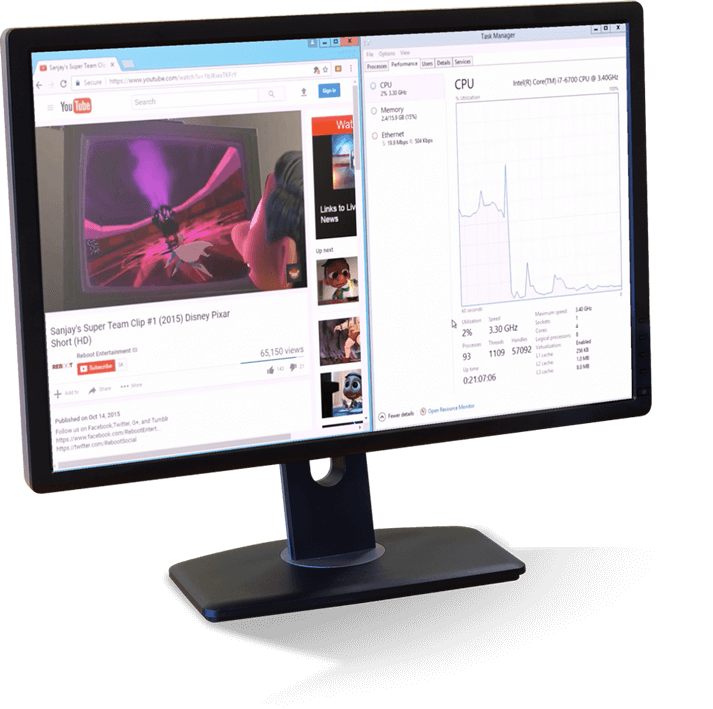
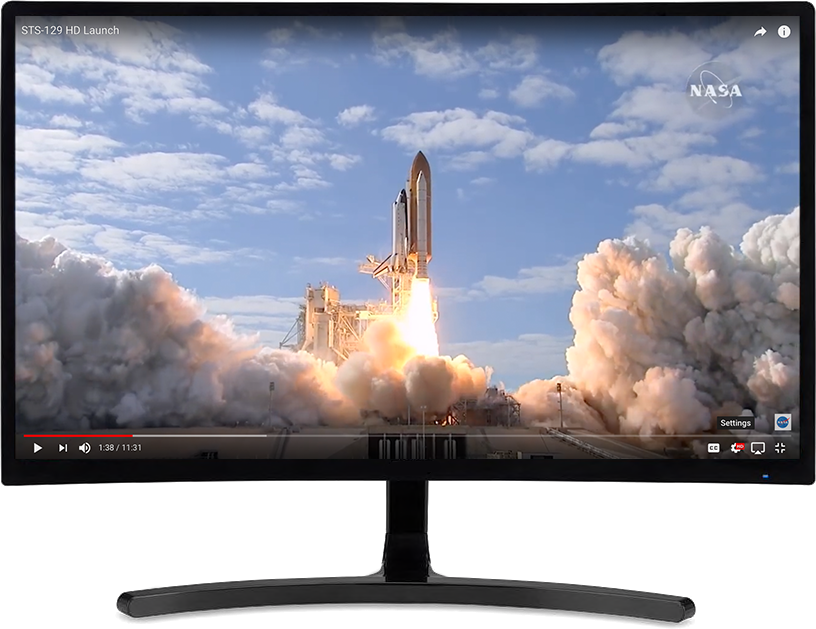
vCAST Streaming sends web and local video content directly to supported NComputing endpoints, reducing server-side CPU and bandwidth demands while maintaining a high-quality HD video experience.

  • Lower server load: Reduce CPU resources consumed by video playback.
  • Support more users: Preserve server capacity for additional concurrent desktop sessions.
  • Avoid unnecessary GPU infrastructure: Deliver smooth video without adding costly server-side GPU resources.

vCAST Streaming is built into vSpace Pro Enterprise and can also be enabled for Microsoft RDS environments with the SuperRDP server pack, available through NComputing resellers (SKU: SuperRDP-PREM-VC-P).

vCAST Web Streaming  |  vCAST Media Streaming

RX540 Powered by LEAF OS

Powered by LEAF OS

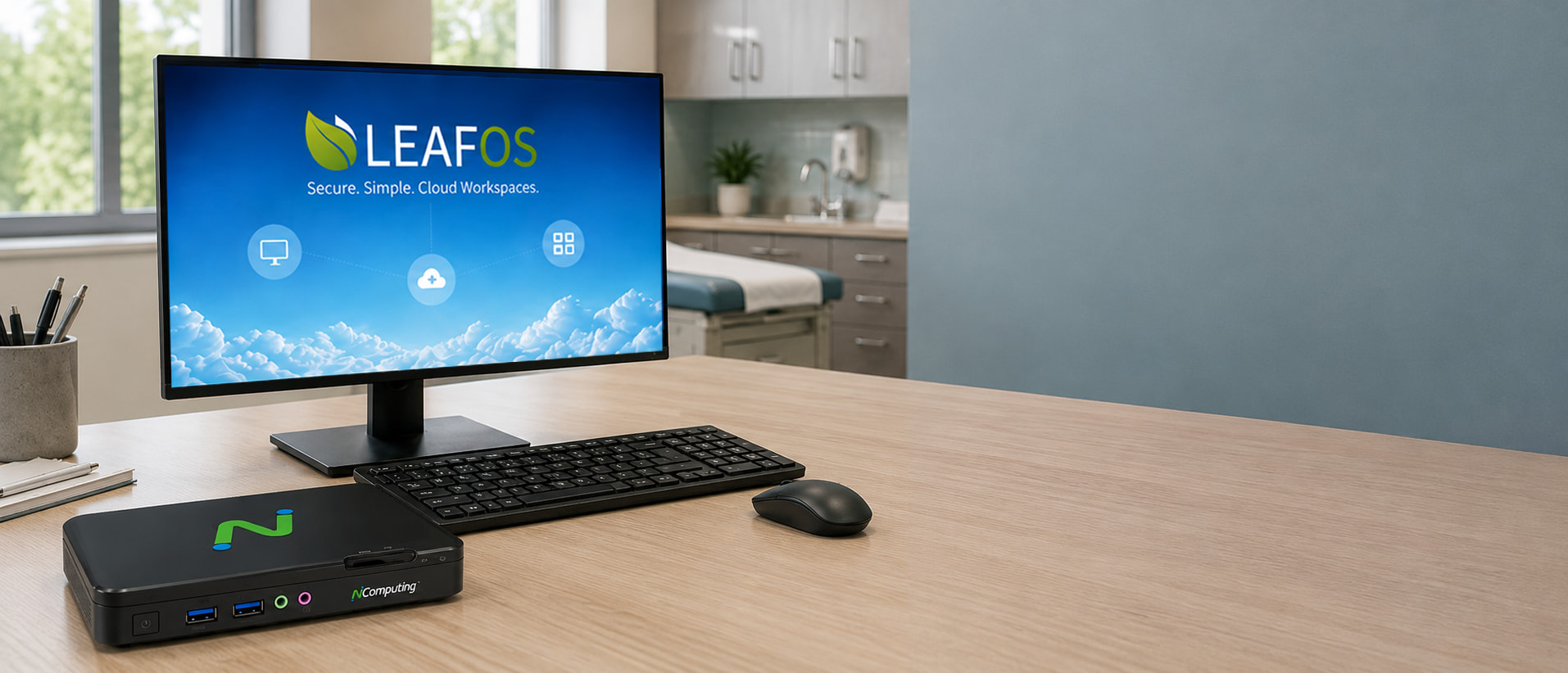
LEAF OS is NComputing’s small, Linux-based operating system designed specifically for secure, high-performance access to virtual desktops and cloud workspaces. Flexible in its deployment, LEAF OS enables access to multiple virtual desktop platforms from thin clients and personal computers.

Learn more about LEAF OS →

Licensing notes

License Included

Included with RX540 / RX580

Purchases include an activated, non-transferable LEAF OS perpetual license, one year of Device AMP licensing coverage for software updates, and perpetual use of PMC Endpoint Manager.

Software Update

Software updates and support

After the first year, Device AMP licensing is required for software and firmware updates and support (sold separately, SKU: NC-AMP-RXRDP-1A).

vSpace Pro Connection License

vSpace Pro Enterprise

vSpace Pro Enterprise connections require purchase of SKU: vSpacePro-SW-1A.

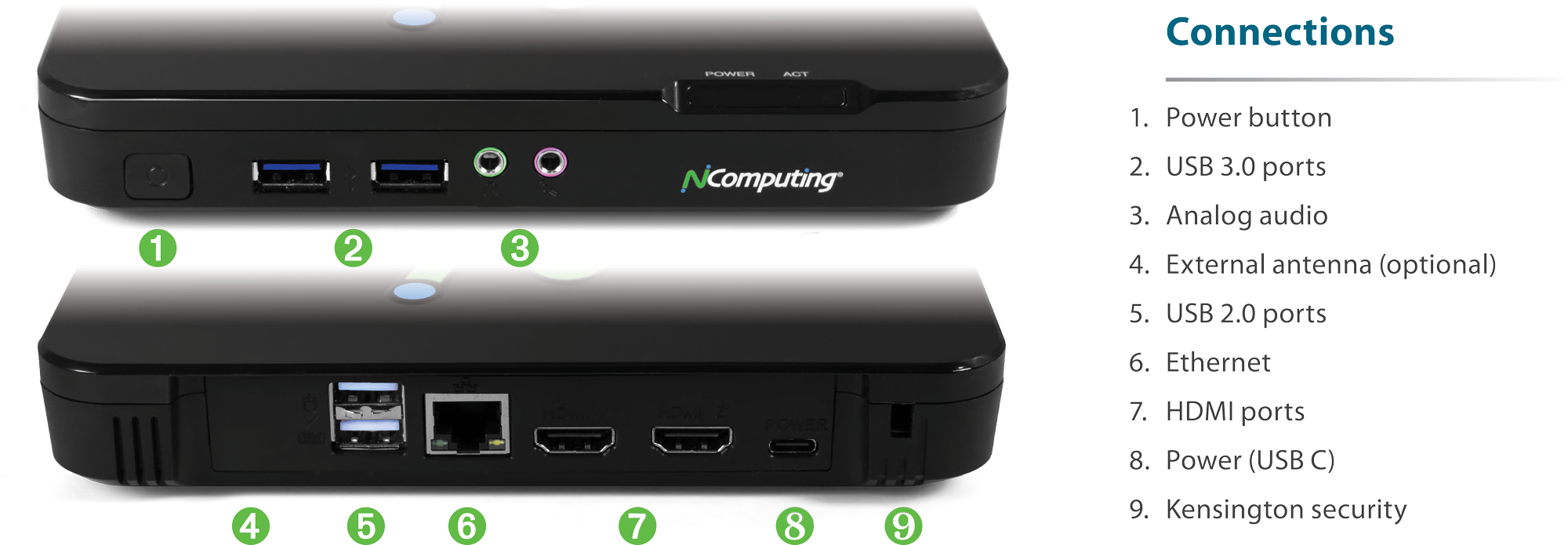
Connections

RX540 / RX580 connections

Certifications and testing

RX540 and RX580 are certified for leading desktop virtualization platforms. Select a platform below to view certification details, compatibility information, and available test results.

Microsoft

RX540/RX580 are Microsoft AVD Endpoint Certified.

Citrix Ready

RX540/RX580 for Citrix

A checkmark indicates that the corresponding Standard or Premium test case applies. “Passed” indicates a fully tested case that met the desired result. “NA” means the case is not applicable because of hardware/software or Citrix product support limitations.

Type & Test Standard Premium Test Result
Multimedia
Hardware Acceleration using H.265 Codec Support (Optional) ✓ NA
Video Conferencing on Skype for Business with HDX Real Time Optimization Pack Support ✓ NA
Optimization for Microsoft Teams Support ✓ Passed
HTML5 Redirection Support ✓ Passed
Browser Content Redirection Support ✓ Passed
Windows Media Stream Redirection Support ✓ Passed
Security
PIV Smartcard Support ✓ NA
Citrix Workspace Enablers
Citrix Cloud Services Support ✓ ✓ NA
Citrix Files access and Experience Support ✓ ✓ Passed
Citrix Workspace App Support ✓ ✓ Passed
Citrix Workspace Support ✓ ✓ Passed
Access Secure SaaS and Web Application ✓ ✓ NA
Devices
Plug n Play Devices Redirection ✓ ✓ Passed
High-Definition Webcam Streaming ✓ ✓ Passed
3D Mouse Support and Redirection ✓ ✓ Passed
Graphics
Rich Graphics Application Support ✓ ✓ Passed
Multi Monitor Support for 2D and 3D Applications ✓ ✓ Passed
Pixel Perfect Lossless Compression ✓ ✓ Passed
2D Graphics - Server Rendered Virtual Application ✓ ✓ Passed
Multimedia
Video Playback - Server Rendered Windows Media Redirection ✓ ✓ Passed
Print
Client Printer Test Using Citrix Universal Printer Driver ✓ ✓ NA
General
HDX Traffic Management and Monitoring with Citrix ADM (optional) ✓ ✓ NA
Accelerated Traffic Support through Citrix SD-WAN (optional) ✓ ✓ NA
Horizon READY

RX540 and RX580 are certified for Omnissa Horizon.

Omnissa Tech Zone


RX420(RDP)

RX-series

RX420(RDP) / RX440(RDP) thin clients

Cloud-ready thin clients for Microsoft, VERDE VDI, and vSpace Pro desktop virtualization.

Built on the Raspberry Pi 4 platform, RX420(RDP) delivers premium performance and native dual-display support in an affordable, energy-saving device with a small footprint. RX420(RDP) includes 2 GB RAM; RX440(RDP) is otherwise identical and includes 4 GB RAM. Integrated local Chromium browser support adds web-kiosk and productivity modes for direct access to web content and applications without desktop virtualization.

Processor
Raspberry Pi 4 ARM platform
Dual Monitor
Native dual display Premium desktop experience
Ethernet
Gigabit Ethernet Wired networking
WiFi
Dual-band Wi-Fi 2.4/5GHz 802.11 b/g/n/ac
USB
4 USB ports 2 USB 3.0 + 2 USB 2.0
Chromium
Local Chromium Kiosk or productivity mode


Supported virtualization platforms

Microsoft

  • Azure Virtual Desktop (AVD)
  • Windows 365
  • Remote Desktop Services (RDS)
  • Microsoft Teams optimization

vSpace Pro Enterprise

  • Windows 10 and Windows 11
  • Windows Server 2019 and 2022
  • UXP Turbo
  • vCAST Streaming

VERDE

  • VERDE VDI
  • VERDE Remote Access

vCast

Supercharge video streaming — without expensive GPUs

vCAST Streaming sends web and local video content directly to supported NComputing endpoints, reducing server-side CPU and bandwidth demands while maintaining a high-quality HD video experience.

  • Lower server load: Reduce CPU resources consumed by video playback.
  • Support more users: Preserve server capacity for additional concurrent desktop sessions.
  • Avoid unnecessary GPU infrastructure: Deliver smooth video without adding costly server-side GPU resources.

vCAST Streaming is built into vSpace Pro Enterprise and can also be enabled for Microsoft RDS environments with the SuperRDP server pack, available through NComputing resellers (SKU: SuperRDP-PREM-VC-P).

vCAST Web Streaming  |  vCAST Media Streaming


Next-level endpoint security

By implementing NComputing’s solutions, organizations can enhance endpoint security, safeguard sensitive data, reduce costs, and streamline management. These measures cover the entire endpoint security spectrum, from device boot to locked-down operating systems, secure communications, data leakage prevention, and centralized management. Furthermore, NComputing enables organizations to embrace BYOD initiatives while maintaining a secure computing environment.

Read the NComputing security whitepaper to learn how our endpoint solution enhances next-level endpoint security.


PMC Endpoint Manager

Central management software keeps things optimized

PMC gives you a single pane of glass to configure, monitor, and maintain your NComputing endpoints wherever they are. Save time, reduce IT overhead, and keep every workspace running at its best.

Checkmark

Centralized configuration

Deploy settings, policies, and restrictions across devices and locations in seconds.

Checkmark

Remote updates

Push firmware and software updates remotely to keep endpoints secure and up to date.

Checkmark

Visibility across deployments

Real-time device status, alerts, and reports help you stay in control at every scale.

[RX420] - group - Everyday Productivity

Mon, 09/21/2026 - 13:18 -- Phil Mason

Built for everyday productivity

Microsoft Teams

Microsoft Teams optimization

On supported virtualization platforms, Microsoft Teams optimization processes audio and video locally on the endpoint instead of sending the full media workload through the virtual session. The result is smoother calls, clearer audio and video, and a more responsive collaboration experience.

Chromium

Local application support

LEAF OS can run select applications locally on the endpoint, providing direct access to tools such as the Chromium browser and supported progressive web applications without routing every interaction through the virtual desktop. IT administrators retain centralized control over which local applications are available.

USB

Broad USB peripheral support

Connect the peripherals users rely on every day, including keyboards and mice, storage devices, printers, scanners, smart card readers, headsets, speakers, webcams, and other supported USB devices. Compatible peripherals can be redirected into supported virtual desktop sessions for a more natural desktop experience.

Ethernet & Wifi

Flexible Ethernet and Wi-Fi deployment

Connect over wired Ethernet where fixed infrastructure and consistent network access are preferred, or use Wi-Fi where cabling is impractical. Flexible networking makes it easier to deploy endpoints across offices, classrooms, shared spaces, and other work environments.

RX420(RDP) native dual monitor support

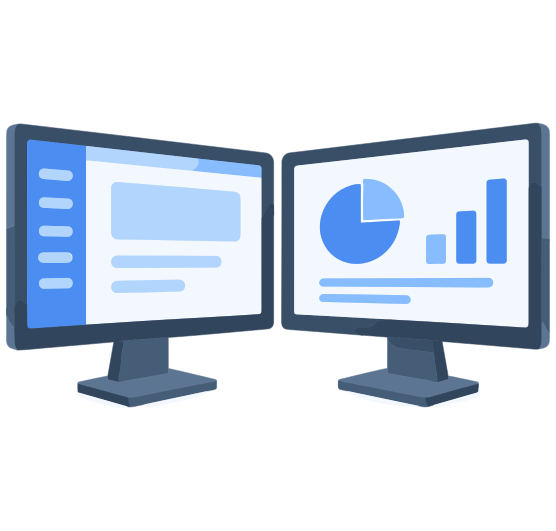
Native dual monitor display
RX420(RDP) combines premium performance with native dual-display support for a rich desktop experience.

Connections

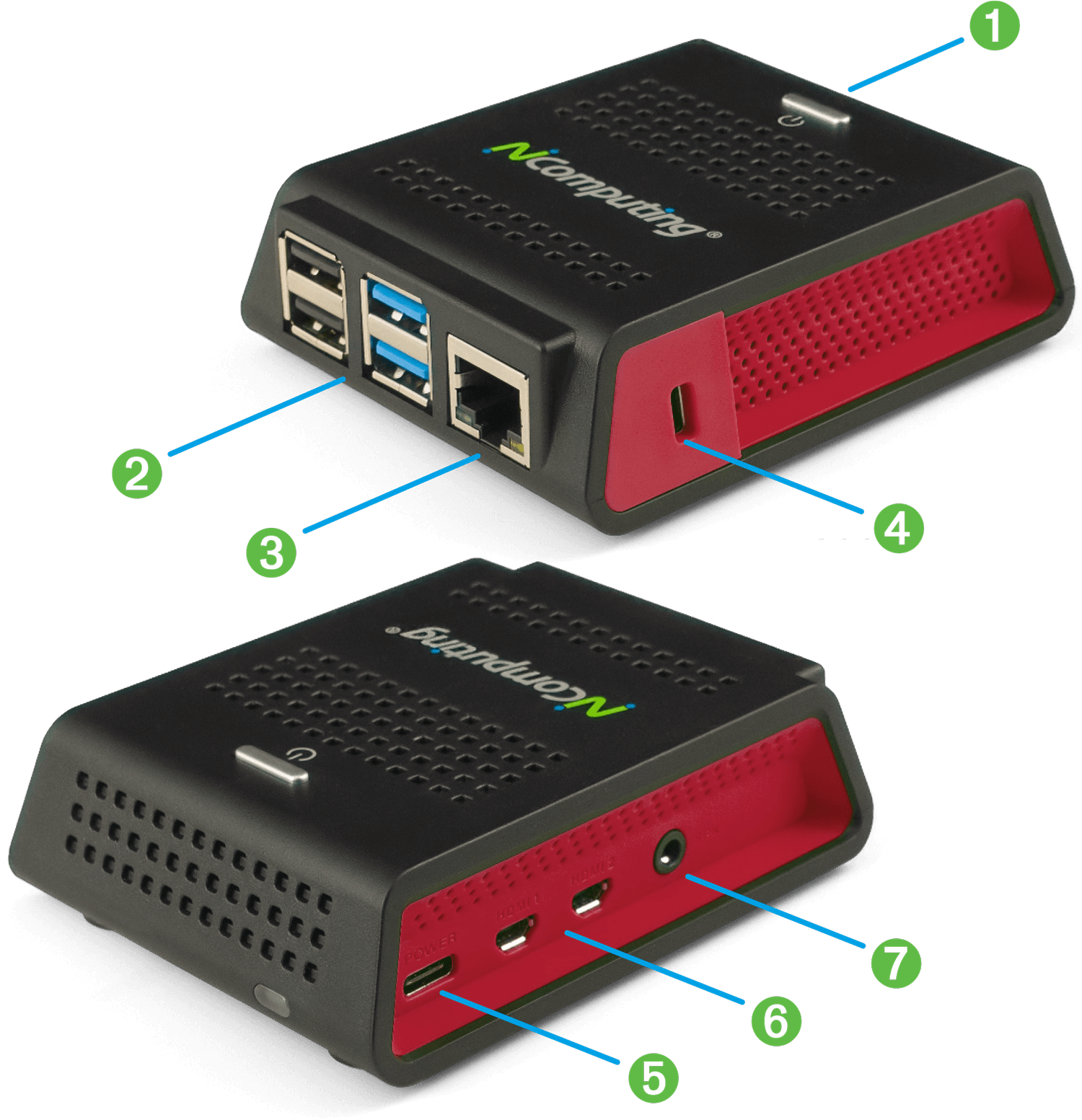
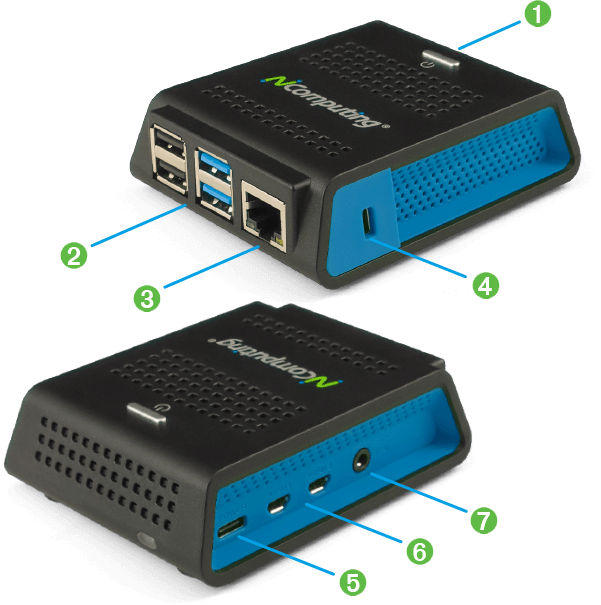
Port key

  1. Power button with sleep mode (top)
  2. 2 USB 3.0 and 2 USB 2.0 High-Speed ports with full USB redirection support
  3. Gigabit Ethernet RJ45 port
  4. Kensington security port
  5. USB-C power input
  6. Dual micro HDMI video output
  7. Speaker jack: 16-bit / 44kHz / stereo audio
RX420(RDP) Connections


RX-RDP+

RX-series

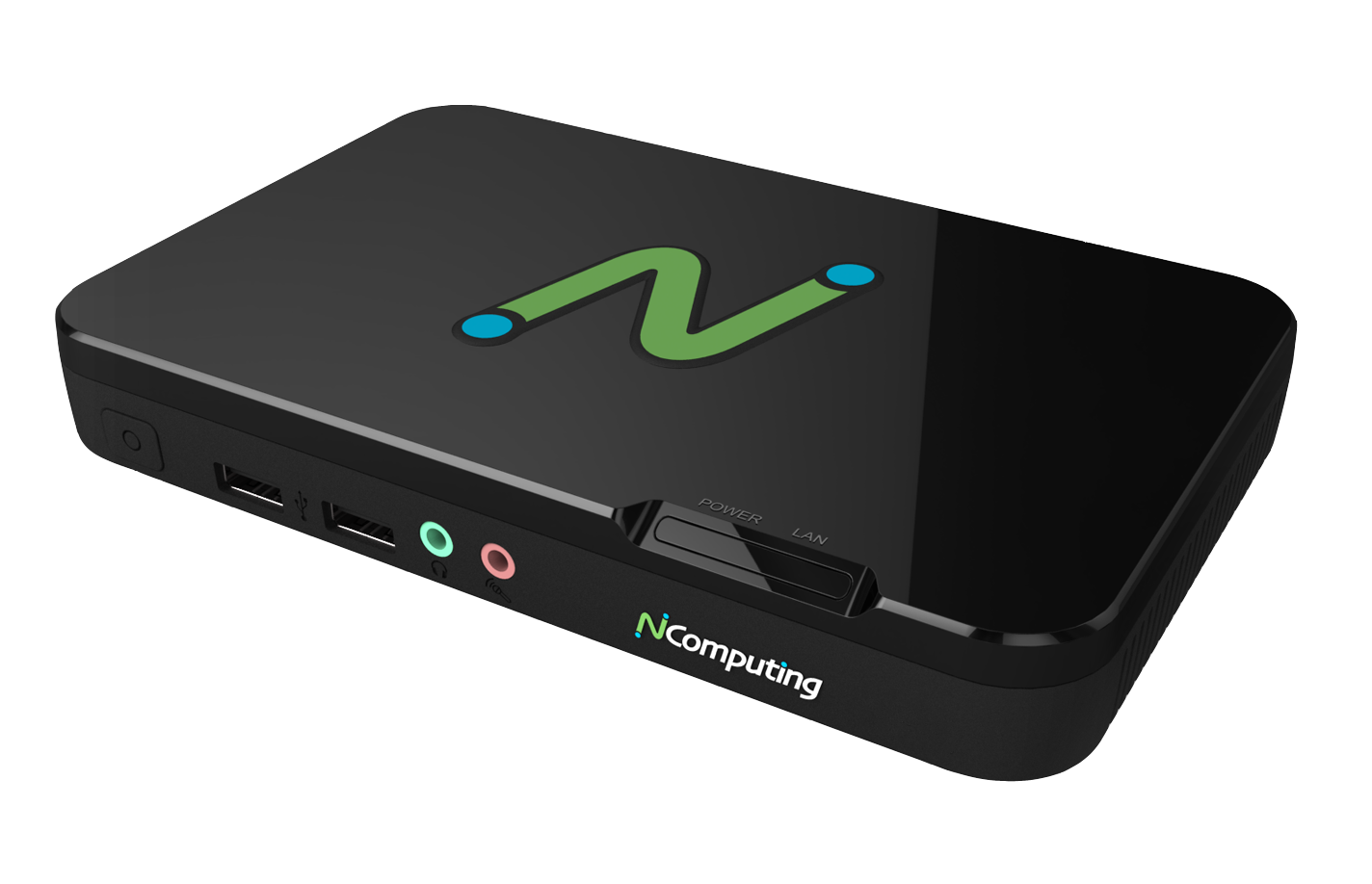
RX-RDP+ thin client

Next-generation thin client for Microsoft Windows 365, AVD, RDS, VERDE VDI & Remote PC Access, and vSpace Pro desktop virtualization.

Built on the Raspberry Pi 3+ platform with 1 GB RAM, RX-RDP+ combines strong performance and value for single-display computing. Integrated dual-band 2.4/5GHz Wi-Fi and Gigabit Ethernet expand deployment flexibility, while centralized management keeps the desktop simple to deploy and maintain.

Processor
Raspberry Pi 3+ARM platform
Single Display

Single display Up to 1920 x 1200 HDMI

Gigabit Ethernet
Gigabit Ethernet 10/100/1000 wired networking
WiFi
Dual-band Wi-Fi 2.4/5GHz 802.11 b/g/n/ac
USB
4 USB 2.0 ports Transparent USB redirection
LEAF OS
Less than 5W Low power consumption


rocketship

Multimedia enhancement through Microsoft RemoteFX

Enabling Microsoft RemoteFX for RemoteApp or Remote Desktop connections enhances the visual experience beyond standard RDP through advanced coding and graphics virtualization. Host systems equipped with supported graphics cards especially benefit.

[RX-RDP+] - group - Everyday Productivity

Tue, 09/22/2026 - 14:19 -- Phil Mason

Built for everyday productivity

USB

Broad USB peripheral support

Connect the peripherals users rely on every day, including keyboards and mice, storage devices, printers, scanners, smart card readers, headsets, speakers, webcams, and other supported USB devices. Compatible peripherals can be redirected into supported virtual desktop sessions for a more natural desktop experience.

Ethernet & Wifi

Flexible Ethernet and Wi-Fi deployment

Connect over wired Ethernet where fixed infrastructure and consistent network access are preferred, or use Wi-Fi where cabling is impractical. Flexible networking makes it easier to deploy endpoints across offices, classrooms, shared spaces, and other work environments.


Webcam support

Native webcam support

RX-series thin clients support webcams compatible with popular video conferencing applications including Microsoft Teams, Zoom, WebEx, GoToMeeting, and Skype. Stay productive and engage with your team when working from home or while distance learning.


Next-level endpoint security

By implementing NComputing’s solutions, organizations can enhance endpoint security, safeguard sensitive data, reduce costs, and streamline management. These measures cover the entire endpoint security spectrum, from device boot to locked-down operating systems, secure communications, data leakage prevention, and centralized management. Furthermore, NComputing enables organizations to embrace BYOD initiatives while maintaining a secure computing environment.

Read the NComputing security whitepaper to learn how our endpoint solution enhances next-level endpoint security.


NComputing vCAST for RDP

Supercharge video streaming with SuperRDP — no expensive GPUs required

SuperRDP software is powered by NComputing vCAST Streaming technology. vCAST delivers direct streaming to endpoint devices and reduces overall server-side CPU usage for web videos such as YouTube and Vimeo and for local media content without the need for expensive GPUs.

By conserving server-side hardware resources and bandwidth, SuperRDP enables more concurrent user sessions while maintaining a high-quality HD video streaming experience.

The NComputing SuperRDP server pack is available through NComputing resellers (SKU: SuperRDP-PREM-VC-P).

vCAST Web Streaming  |  vCAST Media Streaming


PMC Endpoint Manager

Central management software keeps things optimized

PMC gives you a single pane of glass to configure, monitor, and maintain your NComputing endpoints wherever they are. Save time, reduce IT overhead, and keep every workspace running at its best.

Checkmark

Centralized configuration

Deploy settings, policies, and restrictions across devices and locations in seconds.

Checkmark

Remote updates

Push firmware and software updates remotely to keep endpoints secure and up to date.

Checkmark

Visibility across deployments

Real-time device status, alerts, and reports help you stay in control at every scale.


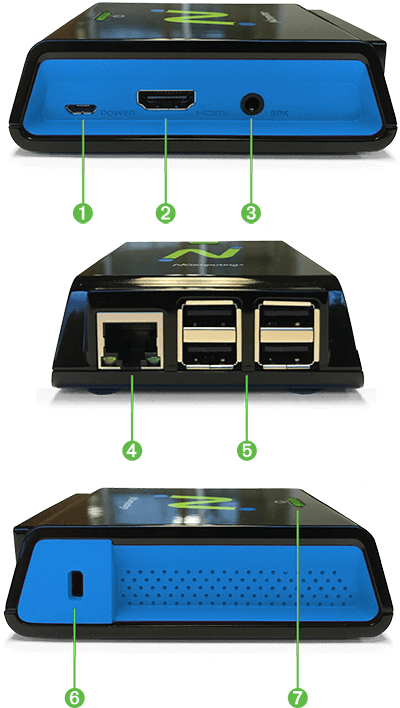
Connections

Port key

  1. Power input (5.1V micro USB)
  2. HDMI video output
  3. Speaker jack (16-bit / 44kHz / stereo audio)
  4. Gigabit Ethernet RJ45 port (10/100/1000 Mbps)
  5. 4 High-Speed USB 2.0 ports with full USB redirection support; 2 are required for mouse and keyboard
  6. Kensington security port
  7. Sleep mode button disables display output for power-saving mode
RX-RDP connections


Comparison chart

Feature RX-RDP+ RX420(RDP) / RX440(RDP)
Operating System LEAF OS (Linux) LEAF OS (Linux)
Management Software PMC PMC
Platform Raspberry Pi 3+ Raspberry Pi 4
RAM 1 GB RX420(RDP): 2 GB
RX440(RDP): 4 GB
RDS support Yes Yes
AVD support Yes Yes
vSpace Pro support Yes Yes
VERDE VDI & Remote Access support Yes Yes
Local Browser (Chromium) - Yes
Dual Display - Yes

Display 1 Max Resolution 1920 x 1200 HDMI 4K @ 60Hz Micro HDMI*
Display 2 Max Resolution - 4K @ 30Hz Micro HDMI*
USB 2.0 ports 4 2
USB 3.0 ports - 2
Wi-Fi (2.4GHz) Yes Yes
Wi-Fi (5GHz) Yes Yes
VESA Mount Kit Yes Yes

* RX440(RDP) is otherwise identical to RX420(RDP); its only hardware difference is 4 GB RAM instead of 2 GB. When either model is used with two monitors, both displays max out at 30Hz.
RX-RDP+ datasheet  |  RX420(RDP) / RX440(RDP) datasheet

Pages

Powerful tools drive success, everywhere.