
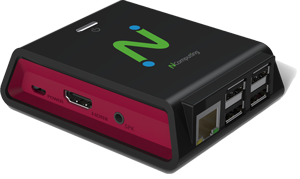


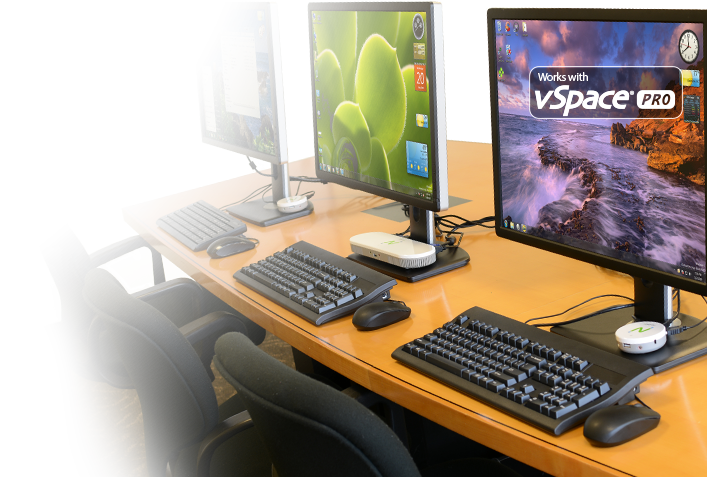
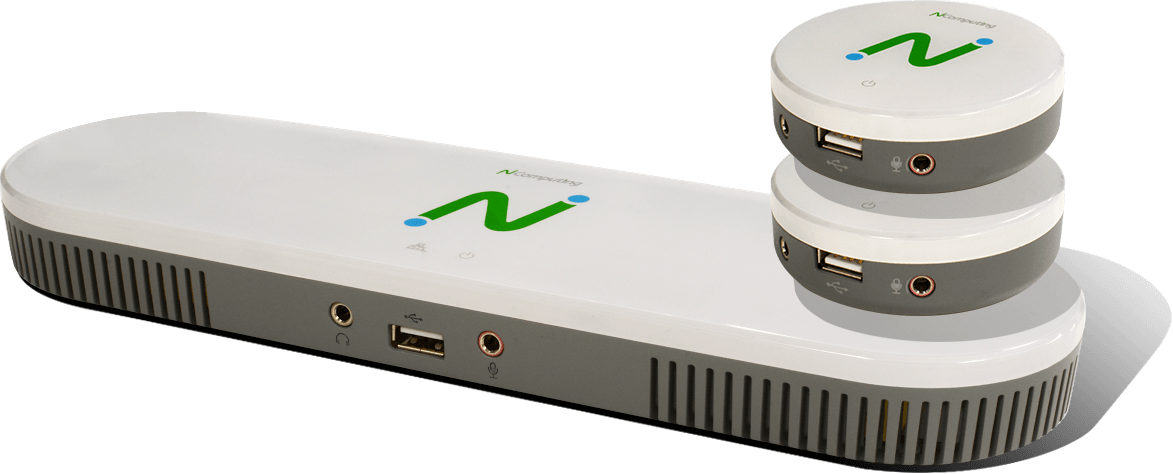
The NComputing MX-series is our latest 3-user thin client kit that changes the game for affordable and green computing. It is a desktop virtualization solution comprising of vSpace Server software and MX-series thin client access devices.
The MX-series rewrites new affordability standards in shared computing by slashing as much as 65% in acquisition cost, 80% in maintenance cost and 90% in energy cost when compared to an all PC-based solution. Made possible by the MX-series’ simplicity, high performance, manageability, security and low cost.
The MX-series combines the best features of NComputing’s widely popular M-series and X-series with enhanced multimedia performance, superior graphics and support for the Gigabit network.
The green advantage of MX100 helps organizations pursue their missions, with effective IT solutions, while at the same lessening their environmental impact.
Simple, Powerful & Affordable
The MX-series is the benchmark for a low cost, simple, powerful and affordable PC Expansion alternative. As the industry's premier 3-in-1 thin client offering, the MX-series delivers a high-quality, media-rich Windows desktop experience to 3-users. Architected as an end-to-end solution and built to be simple to deploy, operate and maintain; the hardware, software and protocol components work seamlessly to provide the ultimate user experience. The effectiveness of the solution ensures that users are unaware that their desktop is running from a single computer and the whole solution can be managed by users with only basic IT computer skills.
- Slash acquisition cost by 65%, maintenance cost by 80% and energy cost by 90% (compared to an all PC solution)
- Deliver up to 70% saving in TCO over 5 years
- Extend your desktop refresh periods by a factor of two
- One MX100 kit supports 3-users and costs less than a single PC
- Fewer PCs to manage equals lower computing costs per user
- Better utilization of IT resources
- NComputing's lowest cost per seat thin client offering
- Rich Windows PC experience:
- Full screen Windows desktops
- Supports HD Multimedia
- USB peripheral support
- Simple to deploy, maintain and manage
- Centralized management of hosted Windows desktops
- All users benefit from performance, application and security updates simultaneously
- Integrated messaging features
- Integrated desktop monitoring
- Flexibility in deployment options (LAN vs Direct Connect
- Consumes less power (2W per user, typical)
- Generates less heat
- Lasting and durable
- Produces less eWaste
Use cases
The MX100S is compatible with NComputing vSpace Server 8.4 and vSpace Pro. MX100S is also compatible with vSpace for Linux.
| Feature | MX100S |
| Connect to host computer over an existing network (LAN) |  |
| Energy saving | |
| NComputing's lowest cost/seat thin client | |
| 3-users per kit | |
| Device management included | |
| Simple to deploy, use and manage | |
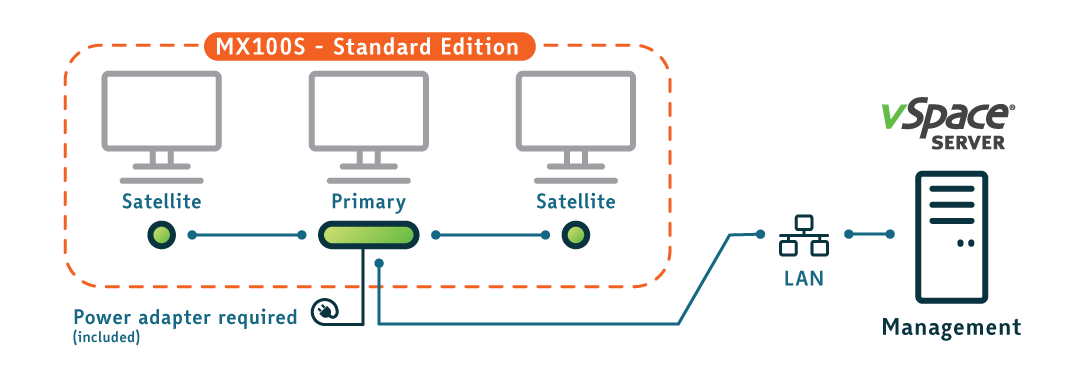
MX100S: Connect to the host computer via LAN.
Using your existing LAN, 3 users can connect to the vSpace Server through a single network connection.
Connections
- Headphones (audio-out)
- USB 2.0
- Microphone (analog-in)

- Satellite link
- Satellite VGA
- DC Power
- RJ45 - LAN
- Primary VGA
- Primary Keyboard & Mouse
- Satellite Keyboard & Mouse
- Link to Primary

Feature comparison & FAQ
See how the MX-series compares to our popular legacy products.
Connection method to host:
| X550 | M300 | MX100S | |
| PCI card (full-height) | |
||
| LAN | |
|
Maximum distance to host:
| X550 | M300 | MX100S | |
| Cat 5e | 5M | 100M | 100M |
| Cat 6 | 10M | 100M | 100M |
Mouse connection:
| X550 | M300 | MX100S | |
| PS2 | |
||
| USB 1.1 | |
||
| USB 2.0 | |
||
| One open USB 2.0 port per station | |
|
Microphone port:
| X550 | M300 | MX100S | |
| 8-bit mono | |
||
| 10-bit mono | |
Audio port:
| X550 | M300 | MX100S | |
| 8-bit stereo (AM quality) | |
|
|
| 16-bit stereo (CD quality) | |
Maximum screen resolution:
| X550 | M300 | MX100S | |
| 1400 x 900 | |
|
|
| 1920 x 1080 | |
Ethernet port:
| X550 | M300 | MX100S | |
| 10/100 Mbps | |
||
| 10/100/1000 Mbps | |
||
| Max users per vSpace Server | 11 1 | 46 2 | 46 3 |
|
1. 11 (5 users x 2 cards + host)↩ 2. 46 (15 M300 kits x 3 users + host)↩ 3. 46 (15 MX kits x 3 users + host)↩
|
|||
Peripheral support:
| X550 | M300 | MX100S | |
| Storage | |
||
| Printers | |
Power source:
| X550 | M300 | MX100S | |
| PoE (Power over ethernet) | |
||
| Power adapter | |
|
|
| Low power usage (1-2W) | |
|
|
How many users can each MX100 kit support?
What’s versions of vSpace Server software support the MX100?
How many MX100S users can be supported by a single vSpace Server host computer?
For general office productivity computing needs, NComputing recommends 1GHz of CPU performance and 2GB DRAM for each user. Using these parameters, a single quad-core CPU clocked at 3.0GHz with 24GB DRAM can support up to 12 users.
Can MX100S Standard Edition kits, L250, L300 and L350 devices be deployed on the same Host vSpace Server computer?
Can I replace the supplied 2m USB 2.0 A/B cable with a longer cable?
What is the maximum VGA cable length that I can use with MX100 devices?
Ready to get started?
Ready to get started? Let's go.
If you have questions about our products and services, and wish to speak with an NComputing representative, please complete this form and we will contact you shortly.
Please do not use this form for technical support. If you need technical help with NComputing products you currently own, please click here.
Resources
Documentation
Videos
MX100S Installation Guide
Success Stories
Unfortunately there are no related products available on the Amazon site you have chosen.